WTOL 11: Toledo's News Leader
- 4.4
- Rating
- 100.00K
- Installs
- Free
- Price

 Analysis by App-foxy
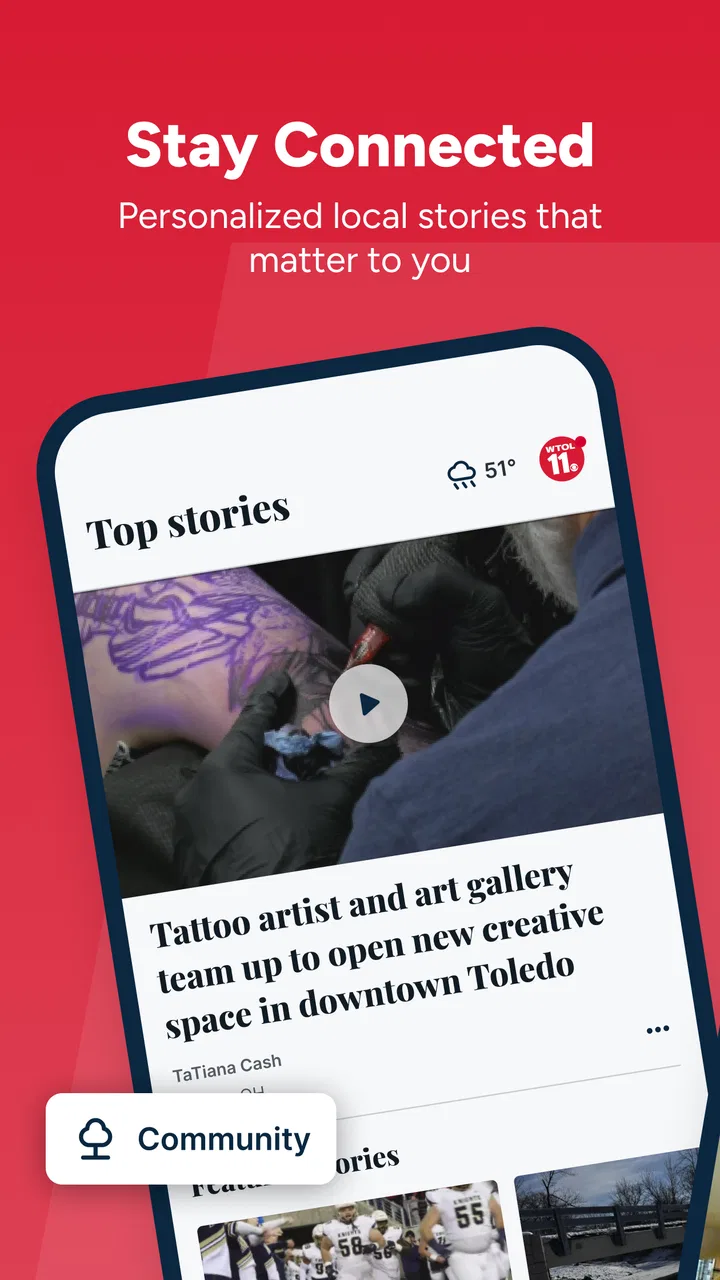
When I want a quick sense of what is happening around Toledo, I would rather open a local news app than sort through a national feed filled with stories that have little to do with my day. WTOL 11 is built for that exact habit: it brings together Toledo-area reporting, live video and weather information in one place. After spending time with it, I found its biggest value was not flashy design, but focus. It keeps the local angle in front of me.
The app comes from TEGNA and sits in the News & Magazines category. It is free to use, rated for Everyone, and has reached more than one hundred thousand installs. Its average rating is 4.4 from roughly three thousand six hundred ratings, with hundreds of written reviews. Those figures suggest a healthy audience, but the more important question is whether it works comfortably for different people and in different situations. My answer is mostly positive, with some practical reservations.
How WTOL 11 feels to read, navigate, and use in real situations
I’ll focus on how the app’s mix of local reporting, live video, and weather shapes a quick visit, then consider when that format is genuinely useful. I also look at the small choices that make a local check-in more practical, such as deciding whether to read or watch before opening a story.
You May Also Like

 Blood Strike: 2.5 Anniversary
Blood Strike’s Loadouts Turn Every Drop Into a Tactical Gamble
A close look at Blood Strike’s custom loadouts: how fast access to signature weapons reshapes its battle royale rhythm, rewards preparation, and narrows the gap between fights.

 Pandora - Music & Podcasts
Pandora’s Music Is Easy to Start, but Harder to Recover
Pandora’s strength is its low-effort path from a seed to a station. Its weak spot is how much confidence it asks you to place in connection, setup, and quiet recovery.

 8 Ball Pool
 Is Built on Rivalries, Rematches, and Routine
A close look at the rivalries, rematches, shared routines, and unanswered safety questions that turn a quick pool match into a persistent mobile community.

 Samsung Music
’s Quiet Strength Is Playing What You Already Own
Its reach comes less from spectacle than from dependable access to a personal library. That simplicity is both the app’s strongest retention engine and its ceiling.

 AccuWeather: Weather Radar
AccuWeather Review: A Quick, Clear Forecast for Everyday Decisions
For everyday plans, the best forecast is the one you can understand quickly. AccuWeather makes rain timing, radar, and local conditions easy to act on, with a few trade-offs.

 Hill Climb Racing
Why Hill Climb Racing Still Turns Crashes Into One More Run
A tiny car, a bumpy hill and one more upgrade: Hill Climb Racing keeps resurfacing because its simple chaos makes every near-miss feel personal.
More From Our News Desk



A local starting point instead of an overwhelming news feed
The first thing I appreciated was the app’s narrow purpose. It is not trying to be a general-purpose reader for every national headline. The focus on Toledo-area news makes the opening experience easier to understand: I can go in expecting local reporting, weather information, and video rather than having to search through unrelated subjects.
That focus also helps people who find broad news apps tiring. A large national service may offer more topics, but it can demand more filtering and scrolling. WTOL 11 gives local users a clearer reason to open it. If my goal is to check what is happening near home, I do not need to build a custom list of local sources first.
For readability, the most useful approach is to treat the app as a quick check-in tool. I scan the leading stories, open the items that matter, and use the weather area when conditions are more important than headlines. This workflow is less mentally demanding than jumping between a browser, a weather service, and a video platform.
Navigation that suits short visits
I found the app best suited to brief, repeated visits rather than long reading sessions. A person might open it before leaving for work, return during a lunch break, and check again when severe weather is possible. That pattern makes sense for a local news product because the value changes throughout the day.
The presence of both written news and live video gives me more than one way to approach the same local situation. I can read when I am in a quiet place, then choose video when seeing or hearing the coverage is more useful. That flexibility matters for people who do not always consume news in the same way.
There is also a useful distinction between information I can absorb quickly and information that deserves attention. A headline scan helps me decide whether a story is relevant. Opening a report gives me more context. Checking weather forecasts answers a practical question. The app works well when I use those layers deliberately instead of expecting every item to provide the same depth.
Readable content is not automatically effortless content
Local news apps can become difficult when several headlines compete for attention, especially during a busy news cycle. I would not assume that every user will find dense screens equally comfortable. Someone with low vision, a reading disability, or limited concentration may need to adjust the device’s own text and display settings, if those settings produce a comfortable result in the app.
My practical advice is to test one ordinary story before relying on the app for urgent information. Check whether the text size, contrast, spacing, and scrolling feel manageable on your phone. If reading becomes tiring, live video may be a better route for some stories, while written coverage may be preferable in a quiet environment or when audio is not suitable.
Motor and sensory considerations
News apps are usually used with frequent taps, vertical scrolling, and small decisions made quickly. That creates a different experience for someone with tremors, limited dexterity, or difficulty maintaining precise touch control. I found that the app’s usefulness depends partly on how easily I can select a story without accidentally moving past it or opening something unintended.
A slower workflow helps. Instead of rapidly swiping through headlines, I would pause after each section and use deliberate taps. On a larger phone, content may feel easier to handle than on a compact screen, although that is a personal device issue rather than a promise about the app itself. People who rely on switch access, screen readers, magnification, or voice control should try their preferred tools directly, because the experience can vary between app screens and operating-system versions.
The live video option deserves a balanced look. Video can help someone who understands spoken explanations more easily than long written articles, and it can make developing local coverage feel more immediate. On the other hand, video may be unsuitable in a noisy place, during a meeting, when mobile data is limited, or for someone who needs captions or prefers silent reading. I would not treat video as a universal accessibility solution; it is simply another way to receive information.
Weather content has a similar trade-off. Forecast information can be easier to understand when presented visually, but a person with color-vision differences may prefer accompanying text rather than relying on color alone. I would use the app alongside the phone’s own display adjustments and, for important decisions, confirm that the essential information is understandable without depending on one visual cue.
Situational access: where the app earns its place
The clearest everyday use case is a morning commute. Before leaving, I can check local headlines and the forecast in the same app. If weather conditions look uncertain, I can spend more time with the relevant coverage instead of opening several unrelated services. That reduces the number of steps in a routine where time and attention are limited.
Another realistic situation is a developing local event. A written article may give me the basic explanation, while live video can provide a more immediate sense of what is being reported. I still need to remember that live coverage is not always the best format when I am in a public place, driving, caring for someone, or trying to conserve battery and data. The app is useful when I can choose the format that matches the moment.
It can also help family members who want to discuss local events without following a broad national news cycle. One person may read the story, another may watch the video, and both can start from the same Toledo-focused source. That shared local reference is more practical than sending several unrelated links from different services, even though the app should not be treated as a replacement for every kind of information.
For users with limited time, the app’s local emphasis is a genuine advantage. I do not need to know the latest national debate to decide whether a Toledo-area road, school, neighborhood, or weather situation deserves my attention. The trade-off is that people who want a complete national or international briefing will still need another app or website.
What the app does better than usual alternatives
Compared with a general news aggregator, WTOL 11 feels more relevant when the question is specifically, “What is happening around Toledo?” Aggregators can offer more variety, but their recommendation systems may mix local stories with national trends and opinion pieces. That variety is useful for broad reading, yet it can slow down a simple local check.
Compared with visiting a station website in a mobile browser, a dedicated app can feel more direct because it is already installed and organized around phone use. I also prefer having local news and weather in one focused place rather than opening separate browser tabs. However, a browser may be the better choice for someone who does not want another app on the phone or who prefers using one familiar interface for every source.
Compared with a weather-only app, WTOL 11 offers more context around why conditions matter locally. A specialized weather service may still be better for detailed forecasting tools or people whose main concern is meteorology. I see WTOL 11 as a useful local information hub, not as a complete replacement for every specialist service.
Compared with social media, the app gives me a more intentional route to local coverage. Social feeds can surface eyewitness discussion quickly, but they can also mix rumor, reaction, advertising, and unrelated content. WTOL 11 is the better first stop when I want a structured local news experience. Social platforms may still add conversation and personal perspectives that a news app does not provide.
Remaining barriers I would consider before installing
The first limitation is scope. If I want extensive national coverage, international reporting, deep subject specialization, or a large archive of unrelated publications, this is not the right single app. Its local identity is its strength, but that same focus makes it less suitable as a complete daily news replacement.
The second limitation is format dependence. Live video is valuable, but it is not equally convenient for every user or every setting. Someone who needs silent access, has hearing-related needs, is in a low-connectivity area, or simply prefers reading may rely more heavily on written stories. I would evaluate the app based on whether its text-based experience works for me, rather than installing it only for the video feature.
The third is the ordinary friction of mobile reading. Small controls, repeated scrolling, changing attention demands, and screen glare can affect comfort even when the content itself is relevant. People who experience migraines, fatigue, motion sensitivity, or concentration difficulties should try the app in the conditions where they expect to use it. A comfortable setup at home may not feel as good outdoors or while moving.
Device compatibility is another practical point. The current version is 50.23.2, and the app supports devices running at least Android 7.1. That makes it available to many older Android phones, but users should still consider how well their particular device handles modern news pages and video. An older phone may open the app successfully while still feeling slower or less comfortable than a newer one.
I also would not install it expecting a completely personalized news universe. The app’s purpose is to present WTOL 11’s local coverage, not to replace every source or let me construct an unlimited subject-by-subject reading system. That is perfectly reasonable, but it matters for users who want extensive control over feeds and topics.
Small habits that make the experience more inclusive
I get more from the app when I separate quick checking from serious reading. For a fast update, I scan the local headlines and weather. For important news, I open the story and slow down. This avoids trying to absorb detailed information while walking, commuting, or multitasking, which is especially helpful for anyone who needs more time to process text.
I also choose the format based on the environment. In a quiet room, video may be convenient. In a waiting room or shared space, text is less disruptive. In bright sunlight, I may need to change the phone’s display settings or move somewhere with less glare. These choices do not add new app features, but they make the existing combination of news, video, and weather more usable.
For family members with different abilities, I would not assume that one format works for everyone. One person may prefer reading, another may understand the story better through video, and another may need enlarged device text or a slower pace. The best shared routine is to let each person use the part of WTOL 11 that fits them instead of treating the app as a single fixed experience.
Finally, I would keep a second source available for critical decisions. A local news app is valuable for awareness, but urgent travel, health, emergency, or official-service decisions may require checking the responsible authority as well. That is not a criticism unique to WTOL 11; it is a sensible boundary for any news application.
Who should use it, and who should skip it?
I would recommend WTOL 11 to Toledo-area residents who want a straightforward local news habit, especially people who like having weather and live coverage close to their headlines. It also makes sense for former residents, visiting family members, and anyone who needs local awareness without building a complicated collection of sources.
I would be more cautious recommending it to someone seeking a single app for all news, a highly customizable aggregator, or a specialist weather tool. I would also suggest testing it carefully for anyone who depends on a particular assistive technology, needs reliable captions or audio alternatives, or finds mobile scrolling difficult. The app may still work well, but the decision should be based on personal use rather than on the presence of a local focus alone.
Its free price removes the financial barrier for trying it, and the Everyone age rating makes it broadly approachable for households. The developer is TEGNA, and the app has been available since Jul 14, 2011, which gives it a long presence as a local news option. I would still judge it by current comfort and usefulness on my own phone rather than by age or download history.
My inclusive verdict
WTOL 11 succeeds because it keeps the local question simple: what is happening in and around Toledo, and what might the weather mean for my plans? I like the combination of written reporting, live video, and forecasts because it lets me choose a format instead of forcing every update into one style. The focused scope also reduces the distraction I often get from broad news feeds.
Its accessibility is best understood as flexible rather than universal. Text, video, and weather information can support different preferences, but each format has its own barriers. People with visual, hearing, motor, sensory, or concentration needs should test the app with their usual phone settings and assistive tools. That short trial is more useful than assuming that a local news app will automatically suit every situation.
My final view is favorable for Toledo-focused users who want a free, practical news companion. I would keep another source for broader coverage and important official confirmation, and I would not rely on live video when silent or low-data access is essential. Within its intended role, though, WTOL 11 is a sensible choice for local awareness when readability, context, and the ability to switch between news and weather matter more than having every possible topic in one feed.
FAQs for WTOL 11: Toledo's News Leader
01What is WTOL 11: Toledo’s News Leader?
WTOL 11: Toledo’s News Leader is a local news app focused on Toledo, Ohio, and surrounding communities. It brings together breaking news, weather forecasts, traffic information, sports coverage, investigative reports, and video stories in one place. The app is designed for people who want quick access to regional updates without relying only on television broadcasts or a desktop website.
02What type of news and information can I find in the WTOL 11 app?
The app typically covers local and regional headlines, crime and public safety, politics, education, health, community events, business, sports, and human-interest stories. Its weather section is especially useful for checking forecasts, radar, severe-weather alerts, and changing conditions in the Toledo area. Available categories and features may vary depending on current coverage and your location settings.
03Does WTOL 11 provide live news, weather alerts, or video streaming?
WTOL 11 may offer live coverage, news clips, weather videos, and alerts for important local developments, including severe weather. Push notifications can help you receive urgent updates more quickly, although delivery depends on your device permissions, internet connection, and the station’s publishing schedule. Live streams or special coverage may not be available at every moment.
04Is the WTOL 11 app free to download and use?
The WTOL 11 app is generally available as a free download for compatible Android and iOS devices. Users can normally browse news, weather, videos, and other standard content without purchasing the app. However, mobile data charges may apply when using cellular networks, and some content or features could be affected by advertising, regional availability, or future changes to the service.
05Does WTOL 11 require my location, notifications, or personal information?
The app may request permission to send notifications and access your approximate location so it can provide relevant weather forecasts, alerts, and local news. These permissions are usually optional, and you can manage them through your phone’s settings. Before installing, review the app’s current privacy policy to understand what information may be collected, how it is used, and whether third-party services are involved.
Pros
- Fast access to breaking news and local headlines
- Useful weather forecasts
- radar
- and severe-weather alerts
- Live video coverage for major Toledo-area events
- Covers local communities
- traffic
- and regional developments
- Push notifications help keep users informed throughout the day
Cons
- Some content may require a stable internet connection
- Frequent notifications can feel excessive for some users
- Video playback may use significant mobile data
- Coverage is mainly focused on the Toledo and northwest Ohio area
- Some articles may include advertising or sponsored content

WTOL 11: Toledo's News Leader
Gallery